Automatically sync your ERC-20 tokens with your portfolio
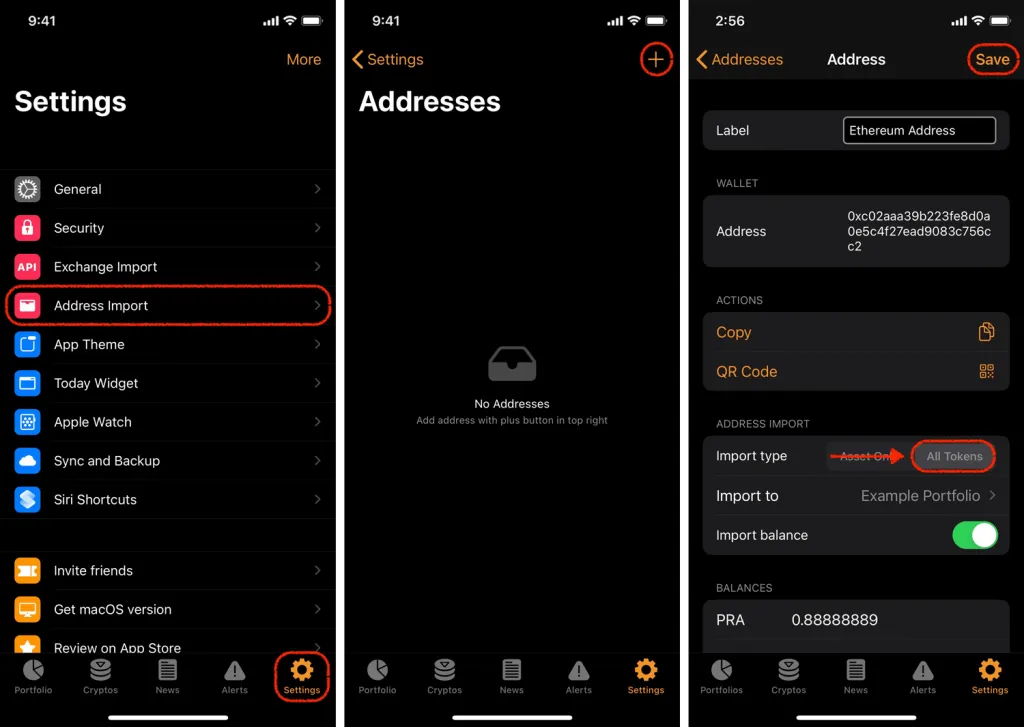
You can import your ERC-20 tokens running on the Ethereum blockchain by using the ‘Address Import’ feature.
- Go to the ‘Settings’ tab then hit ‘Address Import’
- Tap on the ‘+’ and search for Ethereum
- Paste your Ethereum public key in the ‘Address’ field
- In the ‘Import type’ field, tap on ‘All Tokens’
- Select the portfolio you’d like to import to
- Tap on the ‘Import balance’ toggle